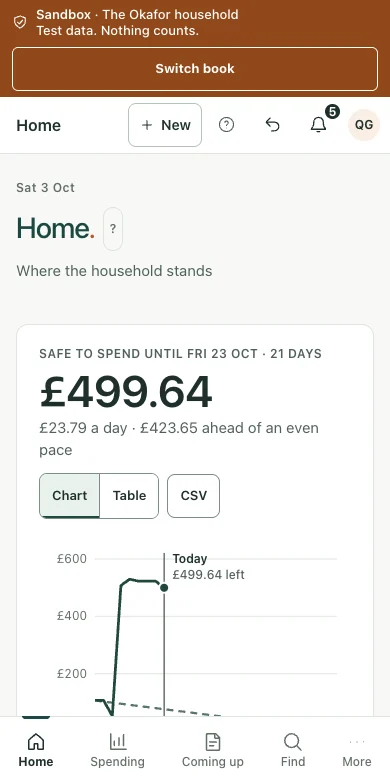
Safe to spend
Included balances, income due, bills still to leave, pending items, a chosen buffer and daily allowance working.
The household view, without the business clutter.
For a household that wants to understand spending, see the bills ahead and keep savings goals and debts in perspective.
UK AWS hosting · Connected records · Your review before action
Connect supported accounts or import bank statements.
Sort spending, recognise transfers and review regular payments.
Set the payday, buffer, included accounts and savings goals.
Explore debt-paydown scenarios using your own figures.
See what is safe to spend and which bills need attention.
Included balances, income due, bills still to leave, pending items, a chosen buffer and daily allowance working.
Monthly or four-weekly payday, last-working-day options, calendar-month planning, included accounts and overdraft treatment.
Categories, typical spending comparisons, transaction search, filters, sorting, transfers and CSV exports.
Bills, subscriptions, debt repayments and income with expected dates; new, missed and higher-than-usual payments.
Savings goals, linked savings balances, pots, extra-payment scenarios and side-by-side debt-paydown calculations.
Household documents, private notes, income-versus-expenses reports, business-like spending review and separation from business books.
See balances, commitments and your chosen buffer, with the working shown.
Understand bills, subscriptions, category trends and payments that have changed.
Track goals and compare debt-paydown scenarios using your own figures.
Keep household records separate from business invoices and VAT.
Keep the context, the records and the next action together. The wider desktop view gives you space to review the detail.
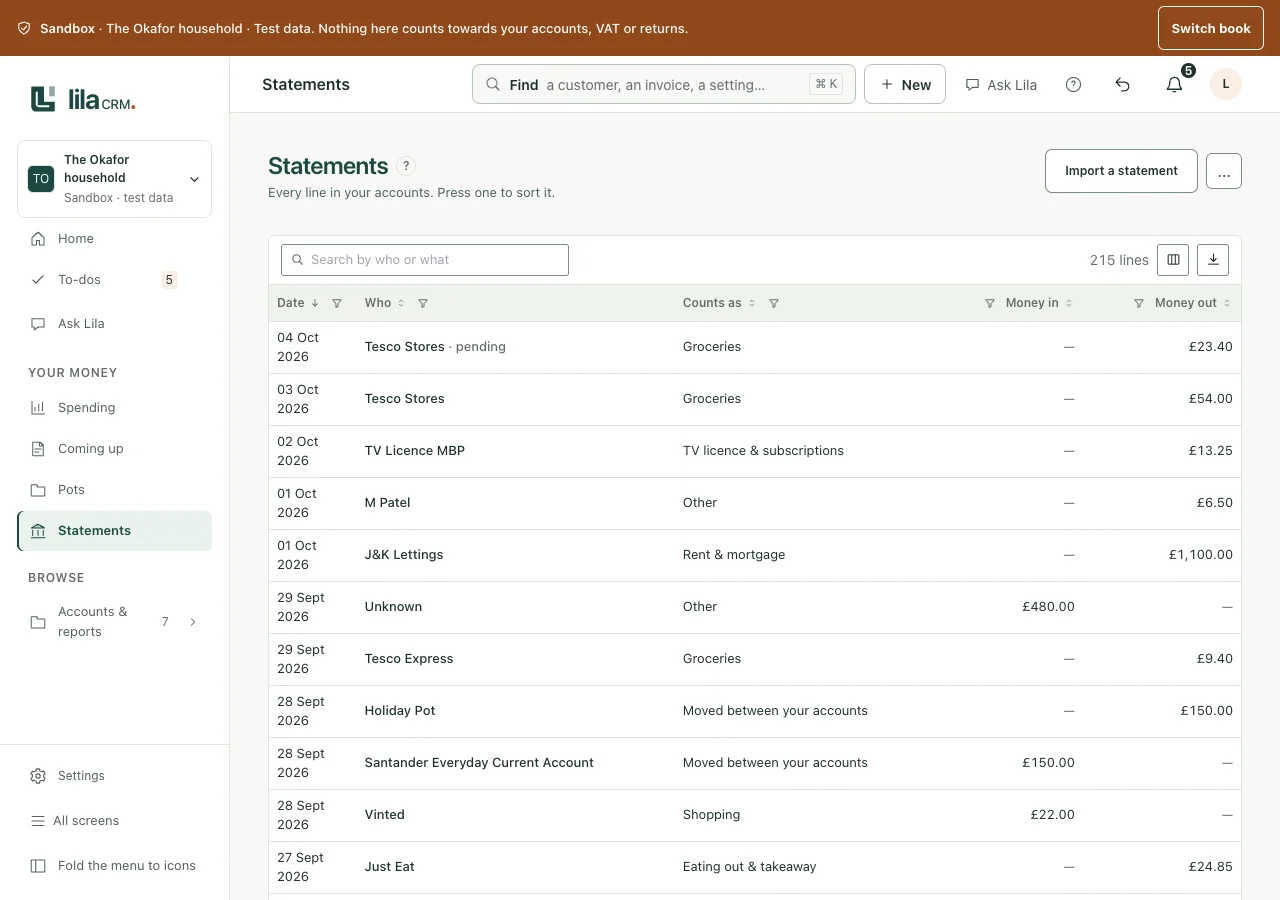
Move from the overview to the source record, with documents and financial history close to hand.
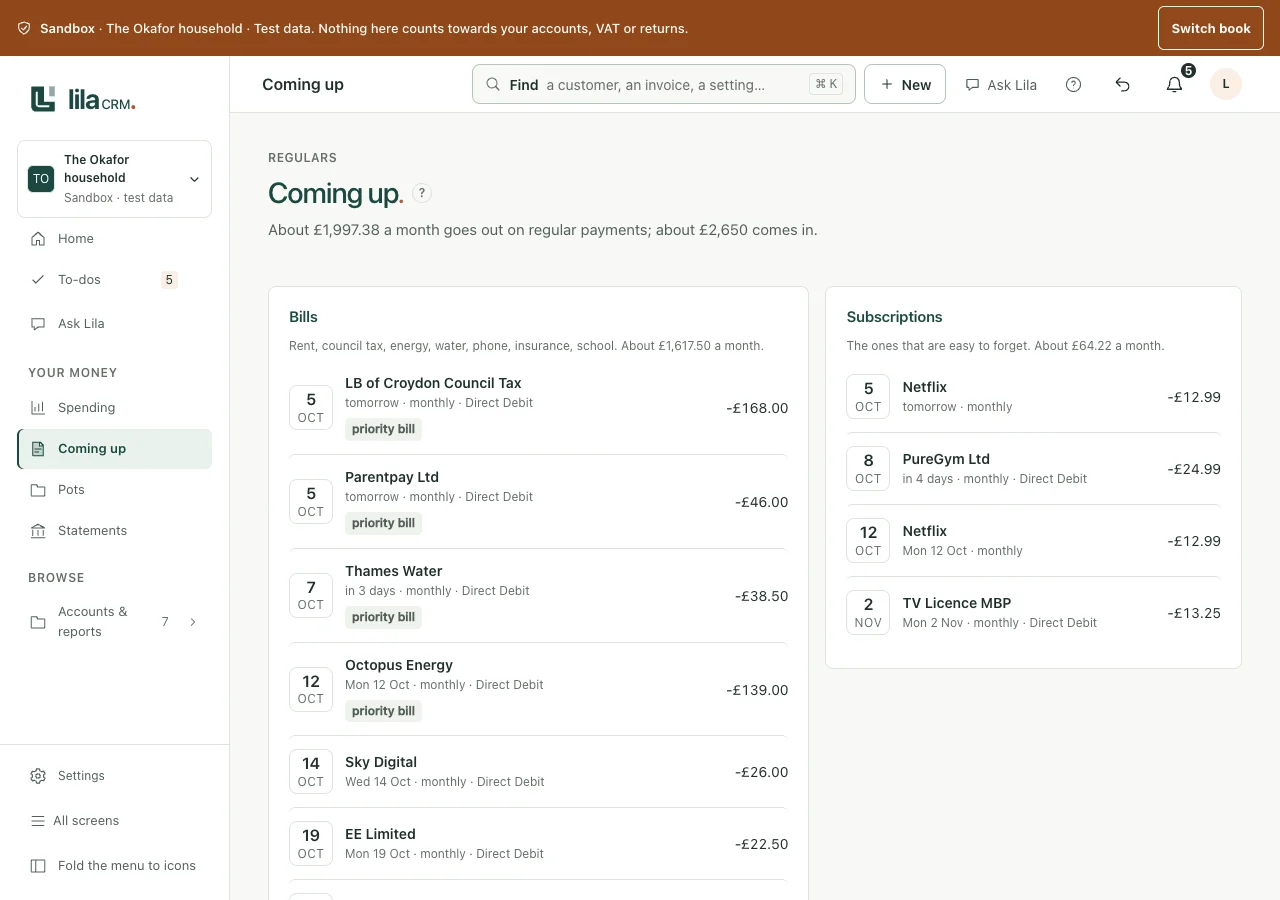
Bring accounts together, understand spending and plan for the bills ahead. The working stays visible and the decision stays yours.
See included balances, income due, pending items, regular commitments and your chosen buffer, with a daily amount and an explanation of the working.
Connect supported accounts or import statements. Categorise transactions, recognise transfers, search, filter and download CSV records.
See expected payments and income, and notice a higher, missed or newly recurring amount.
Track savings goals and explore debt-paydown comparisons using your own balances, rates and chosen extra payments. General information, not personal financial advice.
Capture receipts, letters and PDFs, retaining the original and its status. Use configured assistance or review documents manually.
Export selected statements and documents for a professional adviser, sharing only what the review needs.
Use the appropriate business book for quotes, invoices, VAT, CIS, accountant review and the government connections relevant to that activity.
Keep HMRC letters and supporting statements for review. Saving a letter or recording a payment does not submit a return or prove acceptance.
Data is held within the United Kingdom on Amazon Web Services (AWS). Keep control of the AI features you enable and the information they process.
Enable or disable configured AI features to suit your work and data-protection policies. Core record keeping remains usable without AI.
Selected features use locally hosted large language models within the controlled environment. In local-only mode, their inputs and outputs are not sent to external LLM services.
External AI services require provider settings and terms that prohibit using practice inputs and outputs to train their models. Review the provider, processing location, retention and permitted data before enabling a service.
Use separate books, roles, passkeys, revocable access, document history and exports. These controls support UK GDPR compliance alongside lawful use, appropriate agreements and your own procedures.
Keep a copy of the illustrated brochure, or tell us about the records and workflows that matter to you.